
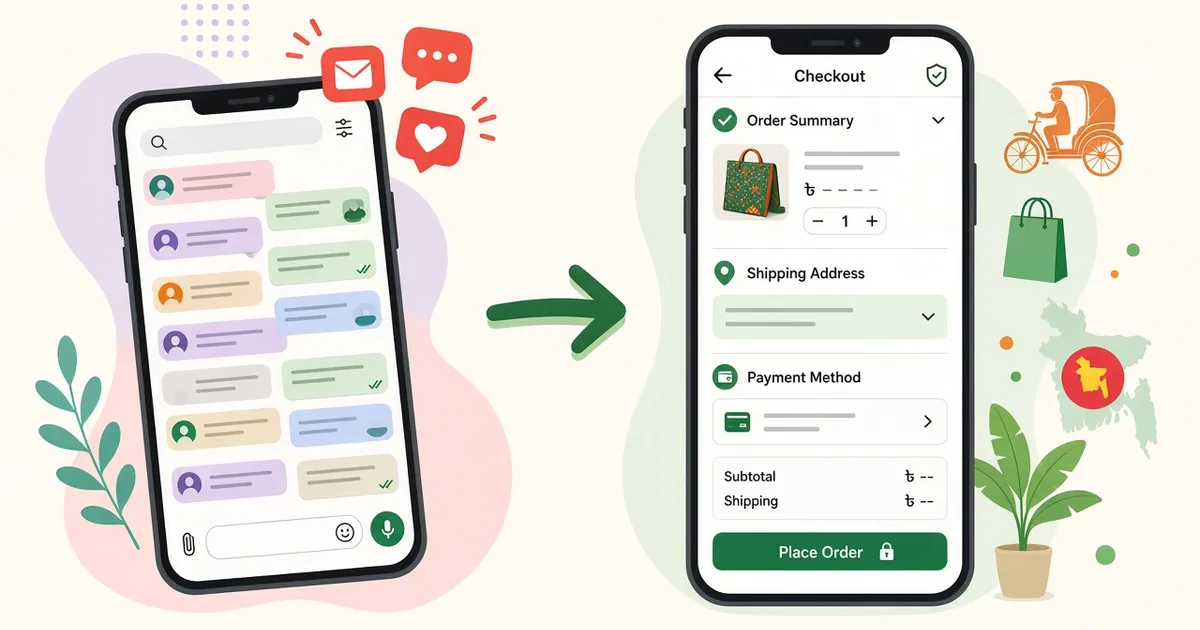
How Bangladeshi Facebook sellers can move from F-commerce to their own website while keeping their page, followers and sales growing.
F-commerce – selling through Facebook pages, groups and Messenger – has helped countless Bangladeshi entrepreneurs start a business with almost no upfront cost. But as orders grow, many sellers hit a ceiling: endless inbox messages, missed orders, copy-pasted addresses and reach that rises and falls with the algorithm.
Moving from F-commerce to a website does not mean leaving Facebook. It means using Facebook to attract customers and a website to turn them into orders smoothly. Here is how to make that move.
Signs You Have Outgrown F-commerce
- You spend hours each day answering "price koto?" and "available?"
- Orders are lost in Messenger threads or written in notebooks
- You cannot easily see which products sell best
- Your page reach changes and sales drop without warning
- Customers ask whether you have a website before trusting you
- Your ads send people to a page instead of a checkout
If several of these sound familiar, it is time for your own store.
Benefits of Having Your Own Website
Orders without the inbox
Customers see prices, sizes and stock themselves and place orders at any time. You receive structured orders with name, phone and address, ready to ship.
Better ads and tracking
With the Facebook Pixel and Conversions API on your website, you can see which ads lead to purchases, build retargeting audiences and optimise for sales rather than messages.
More trust
A proper store with product pages, policies and a contact page signals a serious business.
Free traffic from Google
Facebook posts disappear from feeds quickly. Website pages and blog posts can rank on Google for months or years.
Your customer list
Your order history becomes a valuable list for repeat offers.
How to Move from F-commerce to a Website
Step 1: Create your store
Register a Multipurc store and choose a design from the theme gallery that matches your page's look and colours, so followers recognise your brand.
Step 2: Move your products
Turn your Facebook album posts into proper product pages. Add all photos, prices, sizes and a detailed description. Organise them into the same categories your followers already know.
Step 3: Enable local payments and COD
Your Facebook customers are used to COD and bKash. Keep those options and add Nagad or SSLCommerz from the plugins page.
Step 4: Connect couriers
Instead of writing addresses on a courier app, book Pathao or Steadfast consignments directly from website orders.
Step 5: Install Facebook Pixel and CAPI
This connects your website and your ad account so you can measure and improve campaigns.
Bringing Your Followers to the Website
- Add your website link to your page's About section and action button
- Pin a post announcing your new website
- Link product posts directly to product pages
- Offer a small, genuine incentive for the first website order
- Use quick replies in Messenger that point to product links
- Put the website on invoices, packaging and thank-you cards
Expect a transition period. Some customers will keep messaging; gently guide them to order on the site where they can see everything clearly.
Making Facebook and Your Website Work Together
The strongest approach is to treat them as partners:
- Facebook for discovery, live videos, community and conversations
- Website for browsing, checkout, tracking and repeat orders
Live sales on Facebook can still work – just share product links so viewers order on the site.
Mistakes to Avoid
- Launching a website but never sharing the link
- Showing different prices on Facebook and the website
- Removing COD too early
- Forgetting to install the Pixel before running ads
For more detail on each step, check the guides in the Learning Center.
A 30-Day Transition Plan
Week 1: Build
- Register your store and apply your page's logo and colours
- Upload your top-selling products with full details
- Enable COD and bKash, set delivery charges
Week 2: Connect
- Connect your courier account
- Install Facebook Pixel and Conversions API and check events
- Write policy pages and an About page that tells your story
Week 3: Announce
- Pin a launch post and add the link to your page's action button
- Update Messenger quick replies with product links
- Share a short video showing how to order on the website
Week 4: Optimise
- Run a small ad campaign to product pages
- Ask first website customers for feedback
- Fix any checkout confusion they report
Example Messenger Reply That Moves Customers to Your Site
When someone asks for a price in the inbox, you can reply with something friendly and helpful, such as: "Thanks for your interest! You can see all sizes, colours and the price here: [product link]. You can order with Cash on Delivery or bKash in under a minute. If you need help, just message us." This answers the question, shows the product properly and makes ordering easy – without ignoring the customer.
Track Your Progress
Watch a few simple signals over the first months: how many orders come through the website versus the inbox, how many people visit from your page, and which products sell best online. As website orders rise, you will spend less time typing and more time growing.
Example: Turning a Facebook Album Into a Product Page
A typical Facebook album post might show five photos with a caption like "New arrival, inbox for price". On your website, that same item becomes a full product page: a clear title, all five photos plus a size chart, the price, available sizes and colours, fabric details, care instructions, delivery time and a visible "Order Now" button. Customers no longer need to ask anything – every answer is already on the page. Repeat this for your best sellers first, then gradually move the rest of your catalogue.
Frequently Asked Questions
Should I close my Facebook page after creating a website?
No. Keep your page active for reach and community, and use it to send people to your website.
Will my customers actually order on a website?
Many will, especially when the site is mobile-friendly, offers COD and makes ordering faster than messaging.
Do I need technical skills to set up the Facebook Pixel?
On Multipurc, Facebook Pixel and Conversions API are available as plugins, so you can connect them by following the setup steps.
Take Your F-commerce Business to the Next Level
Your Facebook page brought you this far. A website will help you grow further. Create your Multipurc store and turn followers into loyal customers.